
Choosing the right barcode scanning solution isn’t always straightforward. With handheld mobile computers, enterprise tablets, rugged devices and countless technical specifications available, it’s easy to spend hours comparing products without getting any closer to the right decision.
The reality is that selecting an enterprise mobility solution isn’t simply about choosing a barcode scanner. It’s about understanding how your team works, where the technology will be used and the challenges it needs to solve every day.
At Roaming Technologies, that’s where every conversation begins. Before recommending a device, we take the time to understand your workflows and operational requirements. After nearly 20 years supporting organisations across warehousing, transport, mining, manufacturing, healthcare, utilities and emergency services, we’ve found the best technology decisions start with understanding the environment first.
In this guide, we’ll walk through the key considerations when selecting a barcode scanning solution, using Zebra Technologies as a practical example of how different handheld mobile computers and enterprise tablets are designed to support different industries, environments and workflows. Whether you’re replacing ageing barcode scanners, upgrading from consumer devices or deploying enterprise mobility for the first time, this guide will help you identify the right solution for your business.
Step 1: Understand the Environment & Workflow
Every workplace is different, so the first step is understanding where and how barcode scanning will be used.
For some organisations, employees spend most of their shift scanning products or assets. Others need a device that combines barcode scanning with inspections, digital forms, photography, inventory management or access to business systems.
Consider questions such as:
- Where will the device be used?
- How often will employees be scanning barcodes?
- Will the device be handheld or mounted in a vehicle?
- Will workers also need to capture photos, complete forms or access applications?
- Will the device be exposed to dust, moisture or extreme temperatures?
Starting with the workflow helps identify the type of device that will best support your operations.
Step 2: Define the Technology Requirements
Once you’ve understood the workflow, it’s time to define what the technology actually needs to do.
Enterprise mobility devices often become business-critical tools, so it’s important to consider both your current requirements and future growth.
Think about questions such as:
- What barcode symbologies need to be scanned?
- Does the device need long-range scanning capabilities?
- Will employees need to access business applications?
- Is all-day battery life essential?
- Will the device connect to vehicle docks, charging stations or external accessories?
- Does it need to integrate with your existing software platforms?
Defining these requirements early helps ensure your investment continues supporting your business well into the future.
Step 3: Compare the Different Device Types
Once you’ve identified your requirements, it’s much easier to compare the available device types. Rather than focusing purely on specifications, it’s important to consider how each form factor supports different workflows and operating environments. Using Zebra Technologies as an example, the sections below demonstrate how different device types are designed to support different workflows and operating environments.
Zebra TC22 & TC27: Rugged Mobile Computers for Everyday Scanning
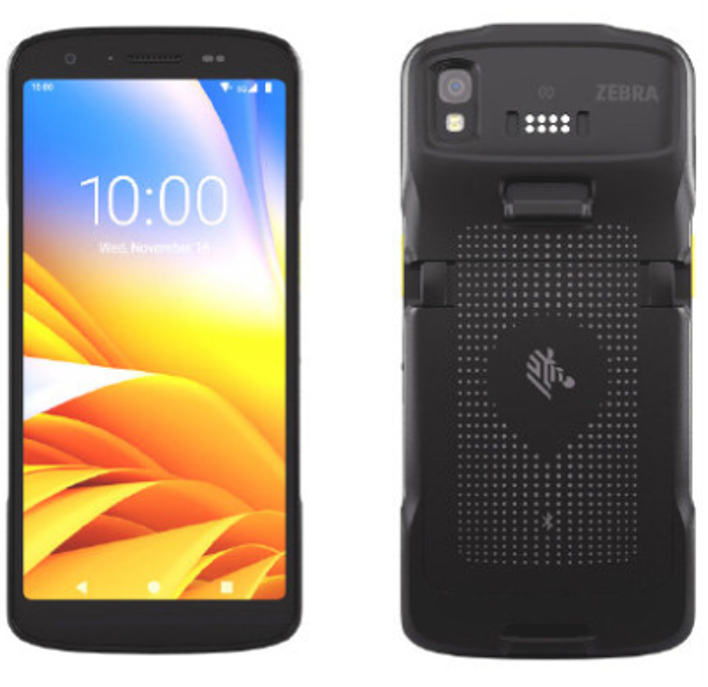
If your team needs a compact device for everyday barcode scanning, the Zebra TC22 and TC27 are an excellent place to start.
Combining enterprise-grade barcode scanning with the familiar form factor of a rugged smartphone, the TC22 and TC27 are designed for organisations that need to capture data, access business applications and communicate from a single device. They provide an ideal balance of mobility, durability and performance for teams that scan regularly without requiring a dedicated warehouse device.
Typical applications include retail, hospitality, field service, local government and light warehousing.
Zebra TC53 & TC58: High-Performance Mobile Computers
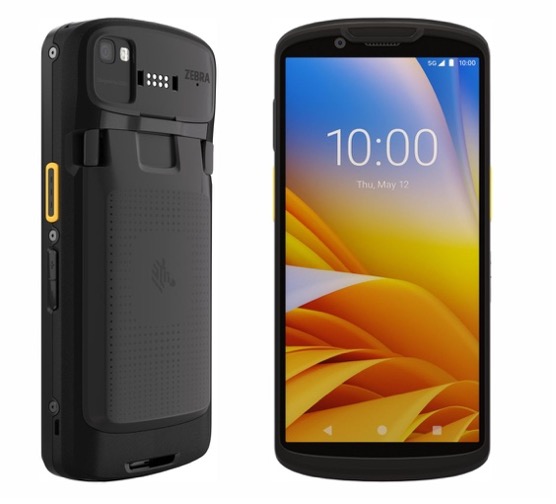
For organisations where barcode scanning is a core part of daily operations, the Zebra TC53 and TC58 provide greater performance, durability and scanning capability than entry-level devices.
These enterprise mobile computers are designed for workers who spend their day managing inventory, processing deliveries, accessing work orders and capturing operational data in fast-paced environments. Their rugged design and advanced scanning capabilities make them well suited to transport, logistics, manufacturing, warehousing and utilities.
Zebra ET40 Series: Enterprise Tablets for Mobile Productivity
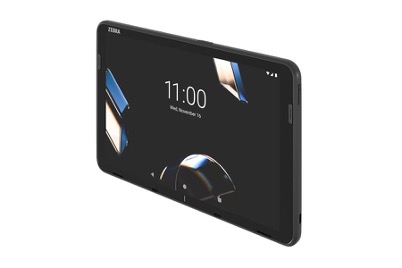
If barcode scanning is only one part of the workflow, an enterprise tablet may be the better choice.
Available in both 8-inch and 10-inch models, the Zebra ET40 series combines integrated barcode scanning with a larger touchscreen, making it ideal for employees who also need to complete inspections, capture photographs, access documentation and manage work orders from a single device.
The ET401 is commonly used across healthcare, field service, retail, utilities and local government, where mobility and productivity are equally important.
Zebra ET60 & ET65 Series: Rugged Enterprise Tablets
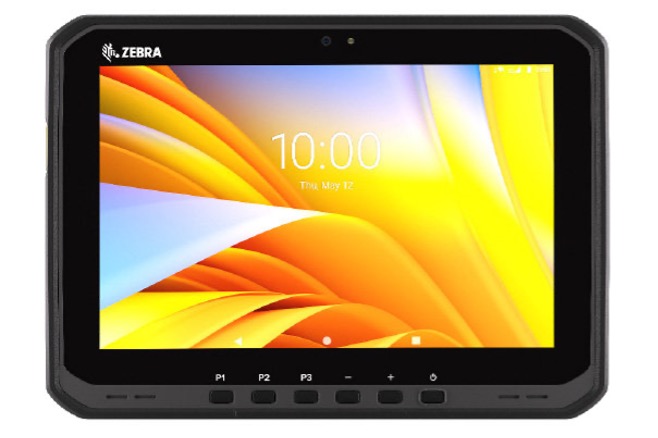
For demanding industrial applications, the Zebra ET60 and ET65 Series provide the durability, performance and flexibility required to support complex workflows.
Available in Android or Windows, with Wi-Fi or 5G connectivity depending on the model, these rugged enterprise tablets are designed for mining, manufacturing, transport, utilities and other harsh operating environments. Combined with vehicle docks, charging solutions and a range of enterprise accessories, they provide a complete mobility solution for organisations operating in the field or across industrial sites.
Step 4: Plan for Deployment
Choosing the right device is only one part of a successful enterprise mobility project.
It’s equally important to consider how your devices will be deployed, configured and managed across the organisation.
For example:
- How many devices are being deployed?
- Will devices need to be configured before rollout?
- Will multiple employees share devices?
- How will software updates be managed?
- What charging and storage solutions are required?
Planning ahead helps minimise disruption and ensures your team can begin using the technology quickly and effectively.
Step 5: Think Beyond Today
Enterprise mobility is a long-term investment, so it’s worth considering the complete lifecycle rather than simply comparing purchase prices.
Think about:
- Ongoing support
- Product lifecycle
- Future availability
- Repair and replacement options
- Accessory compatibility
- Device management
- Fleet expansion
Taking a long-term view reduces downtime, lowers total cost of ownership and helps ensure your technology continues supporting your operations for years to come.
Choosing the Right Barcode Scanning Solution
Choosing the right barcode scanning solution isn’t about selecting the most powerful device. It’s about choosing the technology that’s best suited to your environment, workflows and operational requirements.
Zebra Technologies has built one of the industry’s most comprehensive enterprise mobility portfolios, from handheld mobile computers designed for high-volume scanning through to enterprise tablets that combine barcode capture with broader business applications. The key is understanding which solution best fits the way your organisation works.
At Roaming Technologies, we’ve been helping organisations make these decisions for nearly 20 years. Rather than simply supplying hardware, we take the time to understand your requirements, recommend the right technology and support your solution throughout its entire lifecycle.
Whether you’re exploring Zebra handheld mobile computers, enterprise tablets or a complete barcode scanning solution, our Western Australia-based team can help you find the right fit for your business.